BEAUTY AI / TRY BEFORE YOU DYE
Free Hair Color Try-On Online
Upload a portrait, choose a shade, and preview a new hair color before you commit. The original photo stays untouched while Cravveo creates a browser-based try-on preview.

 Preview
 BEAUTY AI / TRY BEFORE YOU DYE
Preview hair colors on your own photo
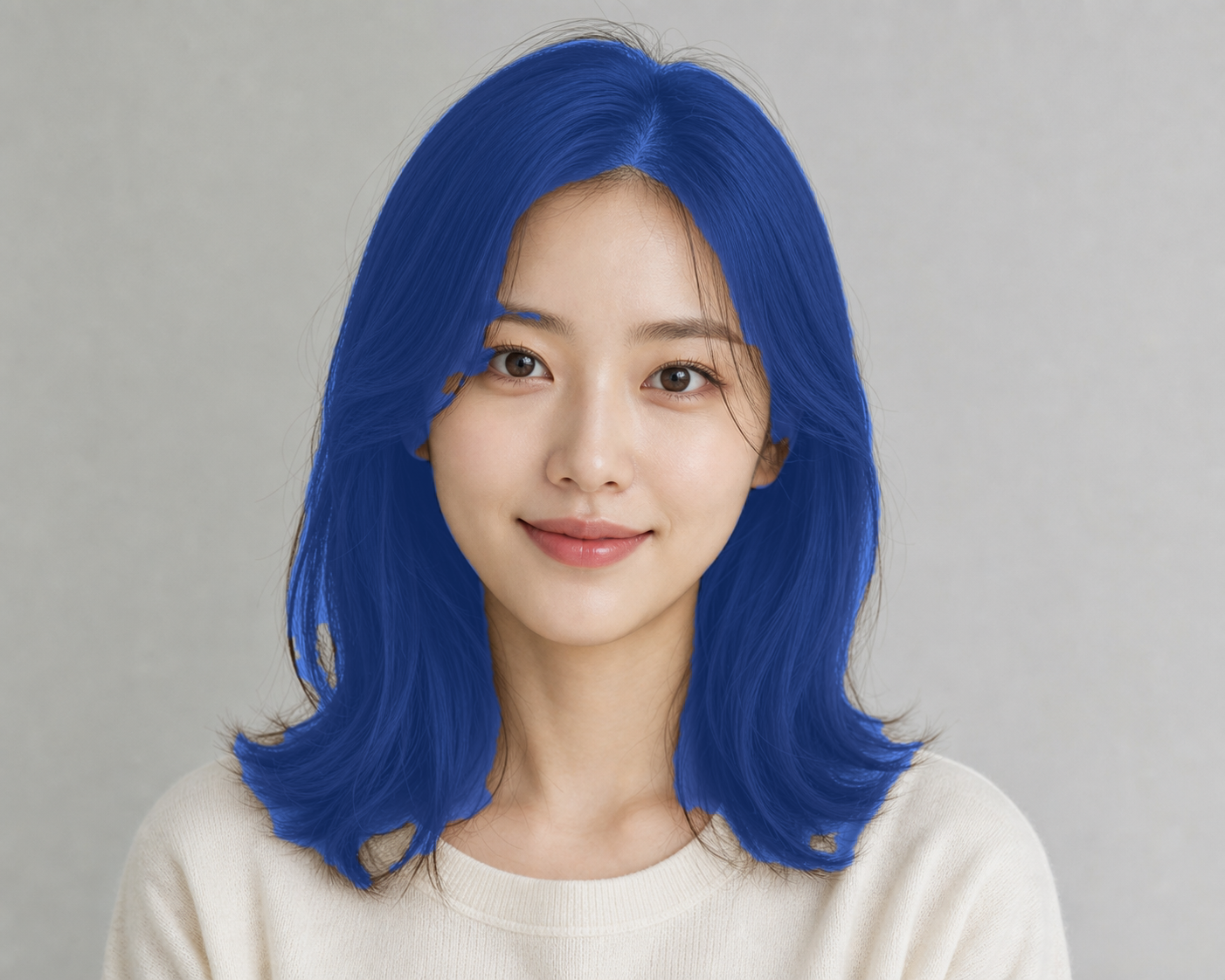
Hair Color Try-On is a browser-based beauty mirror for testing natural shades, vivid colors, and custom colors before changing your real hair. The original photo stays on the left, and the recolored preview appears on the right.
EXAMPLE RESULT
Compare a color idea before you change your hair
Start with a clear portrait, then test natural browns, blondes, reds, pastels, or vivid colors. The preview is meant for quick visual comparison, not a guaranteed salon result.
How to use it
- Upload a portrait or capture a still frame from your webcam.
- Choose one of the preset hair shades or pick a custom color.
- Adjust Color Strength until the preview feels natural.
- Download the final try-on image as a PNG.
Why it is useful
- Compare colors before booking a salon visit.
- Test playful shades for profile photos or social posts.
- Try a color idea without installing a heavy editor.
Best photos
- One person facing the camera.
- Hair is visible and not covered by hats or hands.
- Good lighting with moderate shadows.
- Simple background around the head and shoulders.
Harder photos
- Very dark hair blended into a dark background.
- Messy strands crossing the face or glasses.
- Multiple people in the same image.
- Heavy blur, low resolution, or strong backlight.
Hair segmentation runs in your browser with MediaPipe. Cravveo does not require an account or a server upload for the current preview workflow, so it stays fast for quick color experiments.
Try before changing your hair
Compare natural browns, blondes, reds, fantasy shades, and custom colors before trying a real dye.
Side-by-side preview
The source photo stays unchanged while the recolored result appears in a separate preview panel.
Custom color picker
Start with preset shades or choose your own color for playful profile photos and social tests.
Browser beauty tool
The preview workflow uses MediaPipe hair segmentation in the browser for a lightweight try-on experience.
FAQ
Is Hair Color Try-On free?
Yes. The current version is free while Cravveo tests lightweight AI beauty tools.
Does this upload my photo?
The try-on workflow runs in your browser. The page uses MediaPipe hair segmentation without requiring a server upload for the preview.
Can I use my webcam?
Yes. Use camera mode to capture a still image, then apply the same hair color preview workflow.
What photos work best?
Clear front-facing portraits with visible hair, good lighting, and simple backgrounds usually create the best hair color previews.
Why does the color sometimes miss hair?
Very dark hair, hats, busy backgrounds, and face-adjacent strands can make hair segmentation harder. A clear front-facing portrait works best.
Is this a real salon color prediction?
No. Hair Color Try-On is a visual preview tool. Real dye results depend on your current hair color, lighting, hair texture, and salon process.
Can I download the result?
Yes. After the preview is generated, you can download the recolored image as a PNG.